Hello all, Productivity is something we all want to have more of, but seem to have a hard time accomplishing. I often struggle with having enough motivation to get through everything that needs to be done. However, the key is not to rely on motivation. It is to rely on structure. Structure is what is going to allow you to finish your tasks consistently and in a timely manner. So, how do we develop this structure? One of the ways is through tools that help reinforce our rules. It can be high tech apps that log how much time you spend on social media rather than work. Or, it can be as simple as sticky note lists on your refrigerator that keep you on task throughout your day. I have found checklists and other forms of writing down my tasks to be very helpful. Often times, when I have a full day ahead of me, I find it much more daunting to get through it without writing down what it is I need to accomplish that day. Once it is on paper, it's not as scary and it becomes very rew...
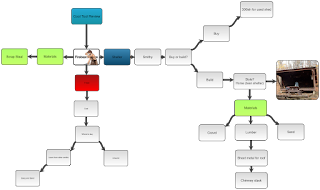
Hello all, My 5th and final cool tool review is on Slatebox. Slatebox is another concept mapping tool similar to the Coggle tool that I previously reviewed. Only better. Personally I found it to be a little more user friendly than Coggle and its free version offers a little more. For one you can embed a file into the nodes or bubbles. When you do this it offers a search function that allows you to search the internet for images to use and all you have to do is click the image and it is immediately embedded in the node. It also has a feature that allows you to link nodes to each other. This link when pressed takes you to the other node regardless of where it is on the concept map. Like Coggle, it can be used in classrooms to help students with brainstorming ideas for projects or papers. Where I feel it differs from Coggle the most is in its presentation capability. In Coggle presentation is a little stiff. In Slatebox having the ability to jump between nodes with a mouse click quick...
Comments
Post a Comment