Posts

Summary of Learning

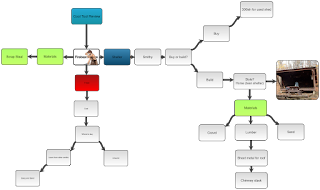
What tool I use to create my artifact and why?                 I used SlateBox, a concept mapping cool tool that I reviewed previously. I chose it because it is user friendly and helps me to organize my thoughts. What was my largest take away from the class?                 My largest take away was the understanding of how it applied to my situation. During many of the classes and assignments I had a hard time seeing how I could possible use this technology and methods in my classroom with the constraints of working in a JCF. Over time, the (now obvious) realization started to dawn on me. I am not the only teacher with restrictions. Where I have kids with some of the most difficult behavior issues, other teachers must turn out the cushions for money for pencils in their classroom. Where I have to deal with students yelling ...

TPACK

TPACK is a structural tool to help teachers, new and old, to understand how to effectively incorporate technology into their classroom and lessons. Why do we need it? Because, technology has progressed from being a luxury to a necessity in modern life. To relate to the modern student we as teachers have to be well versed in the same technology they are using outside of school. All of this technology is begging to be used with new apps and programs being built specifically for classroom use. But sadly it is missing from many classrooms around the country. The common excuses are: schools aren't adequately funded, teachers aren't trained in how to use them, and teachers don't want it in their classrooms. In some cases these are true, but we cannot let them stand in the way of improvement. Many of my peers have said similar if not the same thing when it comes to integrating technology into classrooms. It isn't a question anymore of whether or not we should use technology ...

Major Project Final Post #5

Image
Finally it is done. The forge is up and running and I've even created a few things.... but there's a twist. Watch to find out!

Major Project #4

Image
Hello all, It looks like I'm going to have to build a place to work. Burning a coal forge cannot be done inside my garage due to zoning laws, and I can't leave the forge out in the elements to rust away. So, enjoy the video where I go over making a smithy!

What types of productivity tools do you see yourself using in your classroom and specifically, how will you use them?

Hello all, Productivity is something we all want to have more of, but seem to have a hard time accomplishing. I often struggle with having enough motivation to get through everything that needs to be done. However, the key is not to rely on motivation. It is to rely on structure. Structure is what is going to allow you to finish your tasks consistently and in a timely manner.  So, how do we develop this structure? One of the ways is through tools that help reinforce our rules. It can be high tech apps that log how much time you spend on social media rather than work. Or, it can be as simple as sticky note lists on your refrigerator that keep you on task throughout your day. I have found checklists and other forms of writing down my tasks to be very helpful. Often times, when I have a full day ahead of me, I find it much more daunting to get through it without writing down what it is I need to accomplish that day. Once it is on paper, it's not as scary and it becomes very rew...

Digital Learning Spaces

Hello all, This post we are talking about digital learning spaces. Digital learning spaces are designated zones that are equipped with educational technology that allows teachers to break up the monotony of  full classroom instruction. Classroom instruction is not a bad thing. It is necessary to drive certain core information. However, application of that information and demonstration of skills and learning can take place in multiple ways. Digital learning spaces are powerhouses for this kind of expression and application. In the video " Not Old School " 3 schools in New Hampshire were renovated to have learning spaces dotted throughout them. While watching the video I found myself thinking, "I wish I went to that school as a kid." I then thought of how cool it would be to teach at a place like that. The teachers and students alike had a very positive look on the schools' improvements. Interestingly, many of the learning spaces didn't have actual technol...

Digital Citizenship

Hello all, This time we are looking at digital citizenship. Digital citizenship is your identity as it stands on the internet. It can be thought of as what comes up when someone Googles you. For example, my digital citizenship is affected by this blog, and my Twitter, Facebook, and YouTube accounts. Whenever I make a profile that includes personal information, that information is forever put onto the internet for people to see. Sounds pretty scary, right? Sadly, for younger generations, many times their digital citizenship is created before they are even born. How many pregnancy, gender, and baby name reveals have you seen in the past year on your social media accounts? Each one of those put out information of a (soon to be) person. Shortly following those posts, we see the baby pictures, first birthday videos, and numerous posts about the child before they can even talk. I know I'm painting a pretty bleak picture on technology and digital citizenship, but that is only to stress ...

Social media

Hello all, For Instructional Technology Application we have reviewed a lot of things in relation to how they effect teachers in the classroom and how communities around our schools are effected by various views on education and the changing technology that we use every day. Today I'm going to talk a little bit about social media. In my opinion, social media has helped teachers come together and share ideas and curriculum in a way that was regulated to annual workshops and training seminars. Instead of hotels and guest speakers, we can now learn new teaching strategies and share with each other new tips on everything about education while lounging in our pajamas drinking lattes on the weekends. There are a few groups that I am a part of on Facebook that constantly post new tips on things like classroom management and new lesson plans for hands on activities in all subjects. They have helped me more than once to screw up my courage to try something new in the classroom. Specifi...

Post on open education

Hello all, Open education ties into the sharing topic we covered. Open means accessible and in a classroom that means sharing knowledge with your students and fellow teachers. David Wiley spoke at length on the importance of sharing and how so many people these days are so scared to. Their sense of possession is at a reckless level. He quoted Thomas Jefferson and in paraphrasing said, I can light a man's candle without my flame being taken away from me." This is a way of thinking that is crucial if we are to see growth in our schools.  This doesn't stop at the doors to our schools. We need to encourage the communities around our schools to participate and become networked with our teachers. They need to know what is going on in the classroom so that they can know exactly what their child is doing for 8 hours a day, Monday through Friday, for the better part of a year. That kind of knowledge helps to strip away the stigmas that form when schools are shut off from the ...

Cool Tool Review #5 Slate Box

Image
Hello all, My 5th and final cool tool review is on Slatebox. Slatebox is another concept mapping tool similar to the Coggle tool that I previously reviewed. Only better. Personally I found it to be a little more user friendly than Coggle and its free version offers a little more. For one you can embed a file into the nodes or bubbles. When you do this it offers a search function that allows you to search the internet for images to use and all you have to do is click the image and it is immediately embedded in the node. It also has a feature that allows you to link nodes to each other. This link when pressed takes you to the other node regardless of where it is on the concept map. Like Coggle, it can be used in classrooms to help students with brainstorming ideas for projects or papers. Where I feel it differs from Coggle the most is in its presentation capability. In Coggle presentation is a little stiff. In Slatebox having the ability to jump between nodes with a mouse click quick...

Cool tool review #4 Loupe Collage

Hello all, For my fourth cool tool I chose Loupe Collage. Loupe Collage is a photo tool that takes your picture and, with your input, arranges them into various collage designs. They can form numerous predetermined shapes with the photos such as hearts, stars, and even minions. It allows you to make custom shapes as well. In a school setting, Loupe Collage would be very useful for yearbook and art classes. Many of the collage designs on the website are similar to designs used in my own yearbook. Loupe Collage would also make senior presentations easy and unique.  It is incredibly easy to use. Once you click the link you are taken to the creation page where you can immediately login from numerous different apps to access your photos. Once there, you chose your photos and the design you want them to replicate. That's it. From there you can make it more complex by adding borders and changing effects on the photos. It can be found here. http://www.getloupe.com

Major Project #3

Image
Hello all, This time I've got the pieces of the forge laid out and am taking you through them and explaining what they do. In an earlier blog post I called the part that feeds oxygen to the fire a "tue iron." That was incorrect and came from me misunderstanding the people who were telling me about it. It is called a  tuyère and is pronounced similar to "tue iron." Enjoy!

Major project #2

Image
Hello again, Long time no see! This time we are looking at some work I've been doing to get the forge up and running. First step, learn how to weld. Disclaimer: I have never welded before. As expected the results of my first time welding were pretty hideous but I have since watched numerous YouTube videos and have talked with a few coworkers that have experience in welding. My next attempt will hopefully yield better results. Attached is the first attempt. Enjoy!

Major Project Post 1 Forge Design

Image
Hello again, For my major project I chose to use my return to the hobby of being a blacksmith and document my journey and progress. I started smithing in high school with a friend of mine. Unfortunately then my short attention span got the better of me and I moved on. Ever since then I have often wanted to go back to it. So here I go. Forging metal into desired shapes requires only 4 things: the metal to shape, something to hit it with, something to hit it on, and something to heat it up with. Fortunately, I already have an anvil and a few hammers laying around and a few pieces of high carbon engine parts that are good scrap to start with. So, the only thing I lack is the heating element. First, I had to decide whether I wanted to use solid fuel (coal/coke) or gas. For familiarity and maybe a little nostalgia, I chose to go with a coal/coke forge. Additionally, rather than buy it I decided to make it. I'm using a side blast design with a water cooled tue iron. I got the des...

Cool Tool Review #3

Hello again, This week I chose Camtasia. Which, if you go to their website , says that it is a screen recording and video editing software. You can download it and start working with a free 30 day trial if you wish to own it it'll cost you a whopping $169.00 for a single user license for educators. That's a little pricey for me so I think I'll enjoy using it until the trial runs out. Camtasia, as it says allows you to record what you do on your computer screen then edit into a video format with several different effects, sound clips, animations, clip art, and much more. It comes stocked with several basic medias and allows you to import your own to use. It is a little complex but offers several tutorial videos that help to make it simple. In a classroom setting I can see it being very useful for blended learning sessions, homework assignments, and even lesson plans for when the teacher needs a substitute. Teachers can go through a homework assignment prior to assignin...

Blended Learning

Hello again, This week's topic was blended learning. Blended learning is something that, to a degree, has been done since the beginning of teaching. Personal research outside of the classroom technically could be called blended learning. Everything from reading a book to working on the farm could fall under the umbrella of blended learning. But blended learning most commonly refers to the practice of using traditional teaching methods such as lecture, modelling and scaffolding and including sessions of online learning either in the classroom or at home. It places more responsibility on the students and allows for a student driven learning environment which studies have shown drastically improve learning and test scores. In my school, we have blended learning options in all of our core classes. I am a substitute teacher, however, due to our lack of staff, I have been appointed the position of mentor and have my own classroom with assigned classes. For my classes, since I have re...

Witty Comics a Cool Tool Review #2

The tool I chose for this week is Witty Comics . Witty Comics, as you may have guessed, is a comic strip building website. It allows you to customize each frame with different backgrounds, people, and speech and thought bubbles. From the get go I felt like this tool would be perfect for foreign language classes. In fact, in about 5 minutes I made a comic illustrating a man finding a coffee shop and ordering coffee. While it may have other uses in the classroom such as making a Powerpoint presentation more entertaining or perhaps illustrating an idea in a packet of work, I feel it is most useful in a foreign language dialogue situation. It could be a blended learning assignment for the student to go on and create a comic or two using key vocabulary from that week's classes. It is extremely easy to use. The only current drawback I see is that, even though I followed the sign up instructions, it has not let me login to actually view the website from a member standpoint. Unfortunatel...

Cool Tool Assignment #1: Coggle

Image
For my first cool tool review I chose Coggle. Coggle is mind mapping app that allows users to lay out and organize their ideas in an easy to read format. Much like the bubble technique when making an outline for a paper, Coggle can be used to organize information for a research paper. Teachers can also use it in career tech courses as a sort of check list. For example, a career tech class is going over careers in web development. The teacher can create a Coggle map that has branches that include the skills needed for a web developer. Coggle allows you to insert hyperlinks and other coding into the maps, so, for the web developer map, under skills needed there can be links to websites or Youtube videos that explain some of the skills needed such as proficiency in Javascript, CSS and other computer languages. I am actually using Coggle myself to organize a hobby of mine that has potential of turning into a business for me.  I think this tool would work well in a classroom and, ...

Copyright Reflection

I was surprised by how little I knew about copyright laws. I honestly thought there were files considered "free to the public" and others that were copyrighted and therefore were a "look but don't touch" kind of thing. Now I know that even this blog and anything else created is, to a degree, copyrighted. My favorite video in this section was Understanding "Fair Use" in a Digital World.  The lesson gets students to starting thinking about how they should and shouldn't use content from an early age. When I was in middle school, the only copyright education I received was pertaining to plagiarism and patents. Now, with smart phones and other access to the internet in every classroom, we as educators have to instruct our students on the now much more complex topic of fair use and copyright.

ITA 2018 Thoughts on Sharing

Hello again, This week we discussed the importance of sharing. As educators we chose to become life-long learners. We cannot be stiff and immovable when it comes to change. We have to be open and searching for answers to new questions that come up. And when we find those answers we must share them with our peers. It is our responsibility as fellow educators to lend each other a helping hand. As technology grows throughout more and more areas of our lives we too have to evolve ourselves and our teaching methods to accommodate the changes. Most importantly, after changing, we have to share how we changed. Personal Learning Networks (PLN's) used to be the circle of educators you went to grad-school with and are keeping in touch via phone calls maybe twice a year. Now, with social media and the rapidization of information sharing, PLN's have grown to be global systems that can be used to elevate educational practices around the world. Unfortunately, this is like trying to drink ...